
.png.93288698008eb51df1676989c97be483.png)
Akuma: Delta Force Internal Cheat
Select Price Per Key
Akuma: Delta Force Internal – Advanced Aimbot, ESP & Visual Customization Suite
Experience a fully customizable gameplay enhancement platform with Akuma: Delta Force Internal. Designed with performance, flexibility, and user control in mind, Akuma combines advanced targeting tools, detailed visual overlays, customizable HUD elements, and extensive configuration options within a modern and intuitive interface.
The Aimbot System delivers precise targeting customization with adjustable FOV, smoothing, speed, and stickiness controls. Users can configure advanced target filtering, select specific target bones including Closest, Head, Neck, or Chest, and utilize visibility checks and knocked-player filtering. Akuma also supports dual native controller keybinds without requiring remapping, alongside visual indicators such as FOV circles and target lines for enhanced target tracking.
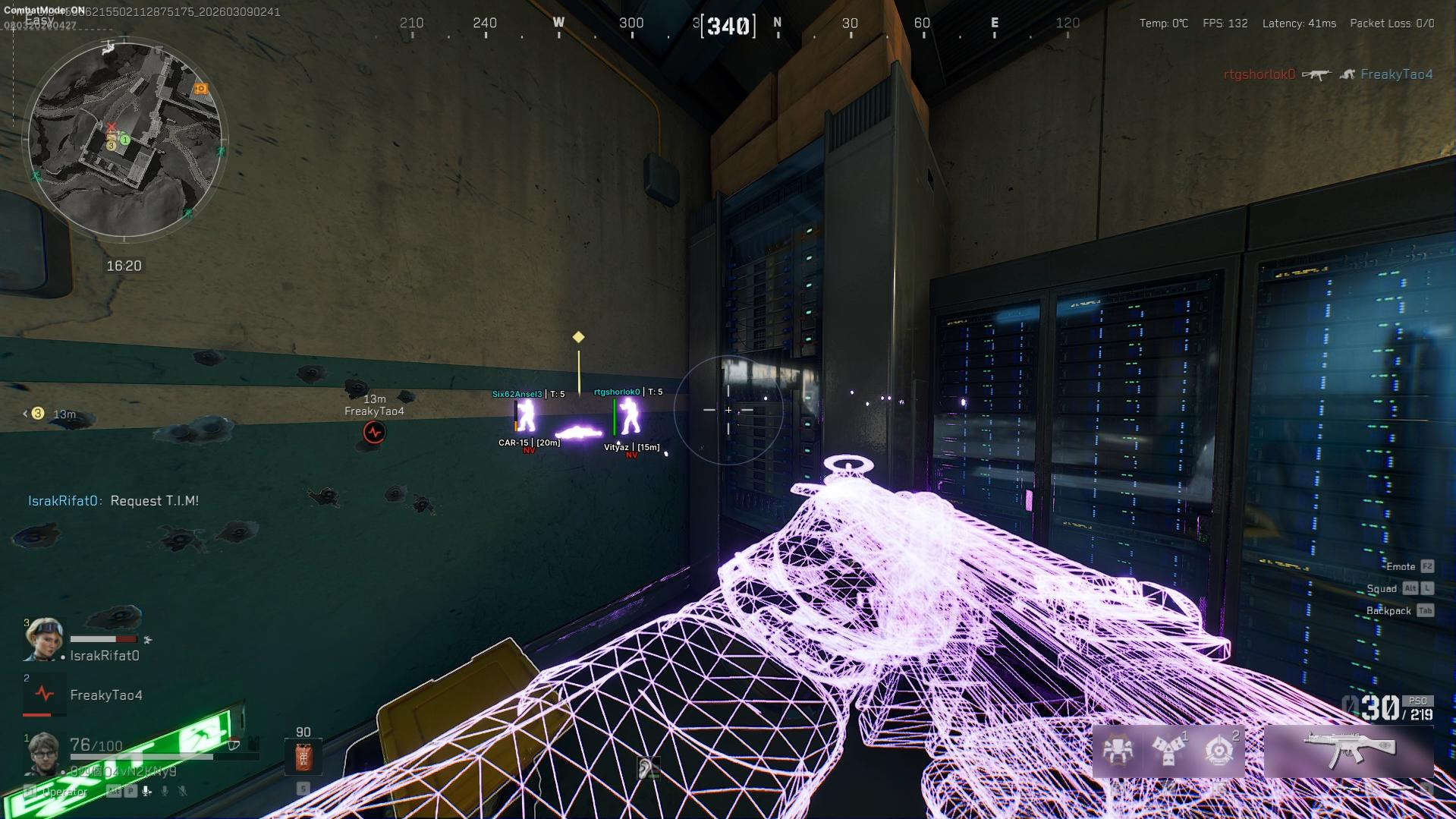
The comprehensive Player ESP Suite provides detailed player information and visual awareness features. Display Skeletons, Head Circles, Boxes, Distance, Names, Team Numbers, Weapons, View Direction indicators, Health Bars, and Snaplines. Additional options include Helmet, Armor, Chest Bag, and Hero information, along with visibility checks, maximum render distance controls, and complete customization for colors, ESP sizing, transparency, and brightness.
The integrated Loot ESP System allows users to track valuable items with customizable filters and display options. View Item Names, Rarity, Distance, Price Information, and apply Minimum Price Filters to highlight specific loot. Additional support includes Players' Corpses, AI Corpses, Computers, and adjustable maximum distance settings for optimized on-screen visibility.
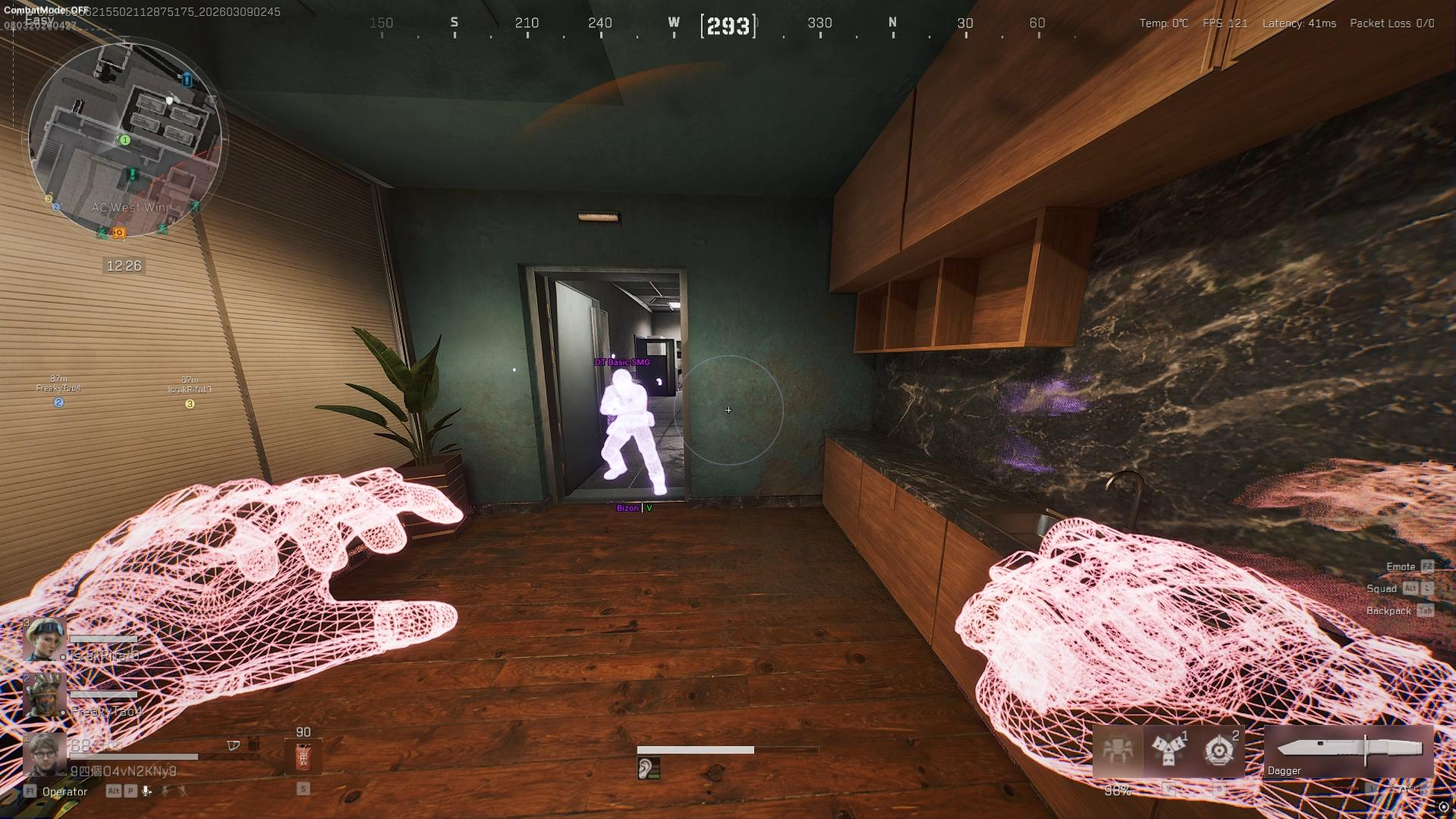
Akuma's Chams Module offers advanced visual customization for Players, AI, Weapons, Hands, and Self models. Users can select between Static Color and RGB Color modes while utilizing a fully customizable color picker to personalize their visual setup.
The Miscellaneous Utility Suite includes a variety of additional customization features such as Instant Hit, Camera FOV Changer, Third Person View hotkeys, Arms Scale Offsets, and Weapon Scale Offsets across X, Y, and Z axes. Users can also enable a customizable crosshair system and utilize Combat Mode entity filtering to selectively hide Players, AI, Items, Dead Containers, and Computers for a cleaner interface.
Additional functionality includes an advanced Configuration System for managing and saving personalized setups, alongside a streamlined interface built for responsive navigation and quick adjustments. Every feature has been designed to provide extensive customization while maintaining smooth performance and usability.
Combining advanced targeting tools, detailed ESP functionality, loot tracking, visual customization, and a powerful configuration framework, Akuma: Delta Force Internal delivers a complete all-in-one experience focused on precision, awareness, and user control.
Already purchased?
Read our setup guide here (visible to customers only):
Official Akuma: Delta Force Internal Cheat Installation and Support Guide
Product Showcase
-
Overview
- Engineered for accuracy, visibility, and smooth targeting
- Full native controller support included
-
-
Aimbot
Advanced targeting and aiming customization system.
- Aimbot
- FOV
- Smooth
- Speed
- Stickiness
- Aimbot Filter
- Bone Selection: Closest / Head / Neck / Chest
- 2 Aimbot Keybinds
- Native Controller Keybinds, No Remap Needed
- Visible Check
- Ignore Knocked
- Draw FOV
- Draw Target Line
-
Player ESP
Player visuals and ESP customization tools.
- Skeleton
- Head Circle
- Box
- Distance
- Name
- Team Number
- Weapon
- View Direction
- Health Bar
- Snaplines
- Show Knocked
- Helmet Name
- Helmet Level
- Armor Name
- Armor Level
- Chest Bag Name
- Chest Bag Level
- Hero Name
- Visible Check
- Max Distance
- Custom Colors / ESP Size / Transparency / Brightness
-
Loot ESP
Loot, corpse, and item visibility customization.
- Item Name
- Rarity
- Distance
- Price
- Minimum Price Filter
- Max Distance
- Players Corpses
- AI Corpses
- Computers
-
Chams
Customizable visual highlighting options.
- Applies To Player / AI / Weapon / Hands / Self
- Fully Customizable Chams
- Style: Static Color / RGB Color
- Static Color Picker
-
Misc
Extra utilities and customization features.
- Instant Hit
- Camera FOV Changer
- Third Person View Hotkey
- Arms Scale Offset: X / Y / Z
- Weapon Scale Offset: X / Y / Z
- Enable Crosshair
- Combat Mode Hide Entities
- Hide Player / AI / Item / Dead Container / Computer
- Customizable Combat Mode Filters
- Encryption Bypass
- Config System
-
Need help before purchasing? Learn more about Delta Force cheats, including features, setup guidance, and compatibility information. · How access works · FAQ · Customer Support