


.webp.765086727a0401f83417e0ffb1ac5d11.webp)
Fluorite: 8 Ball Pool Cheat (iOS)
Select Price Per Key
Fluorite: 8 Ball Pool Cheat (iOS)
Fluorite for 8 Ball Pool on iOS is a feature-rich gameplay enhancement tool designed for improved aiming, prediction assistance, and customizable visual overlays. Built specifically for supported iOS devices, it provides shot visualization, guideline rendering, and precision tools for better table awareness.
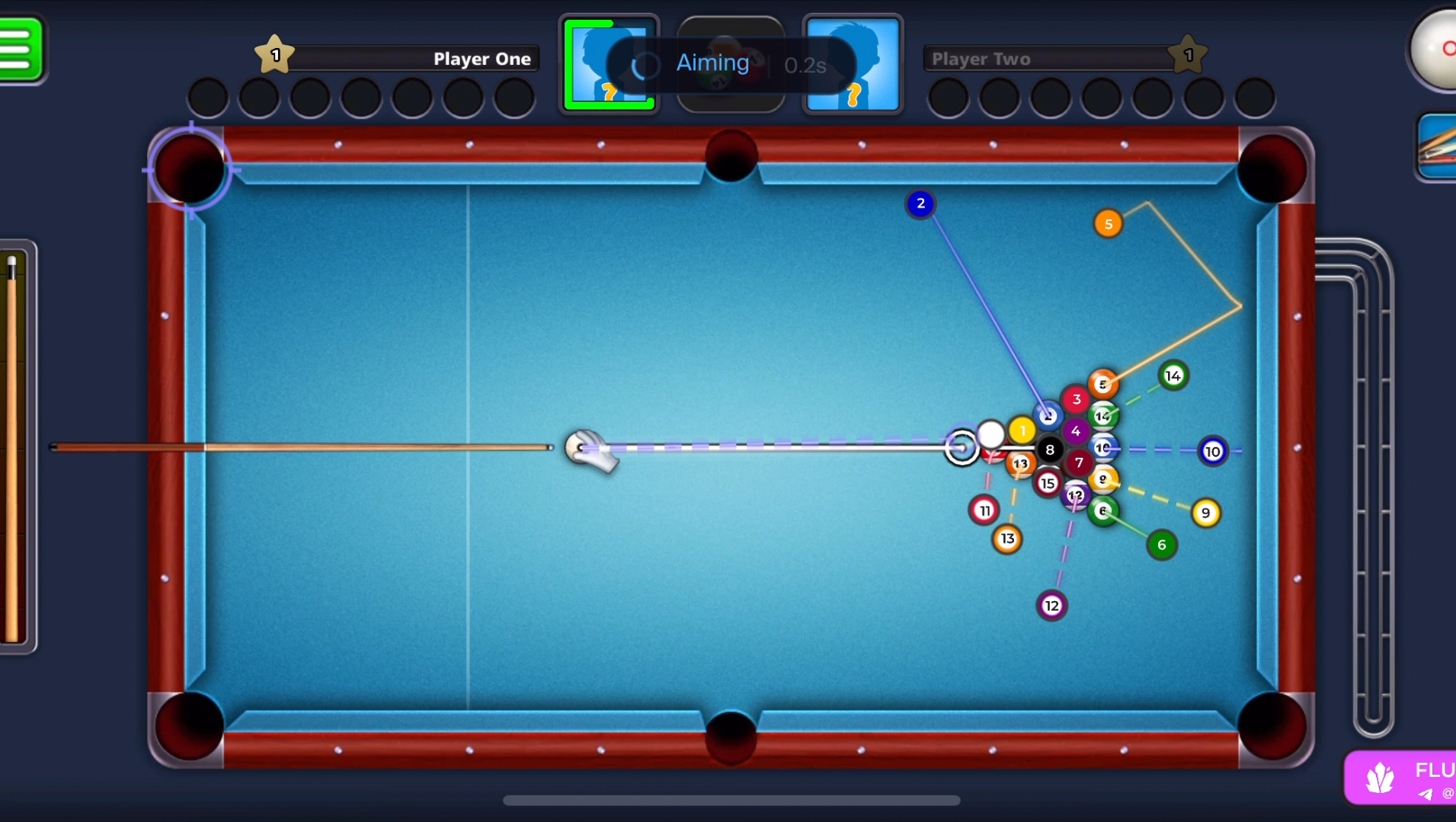
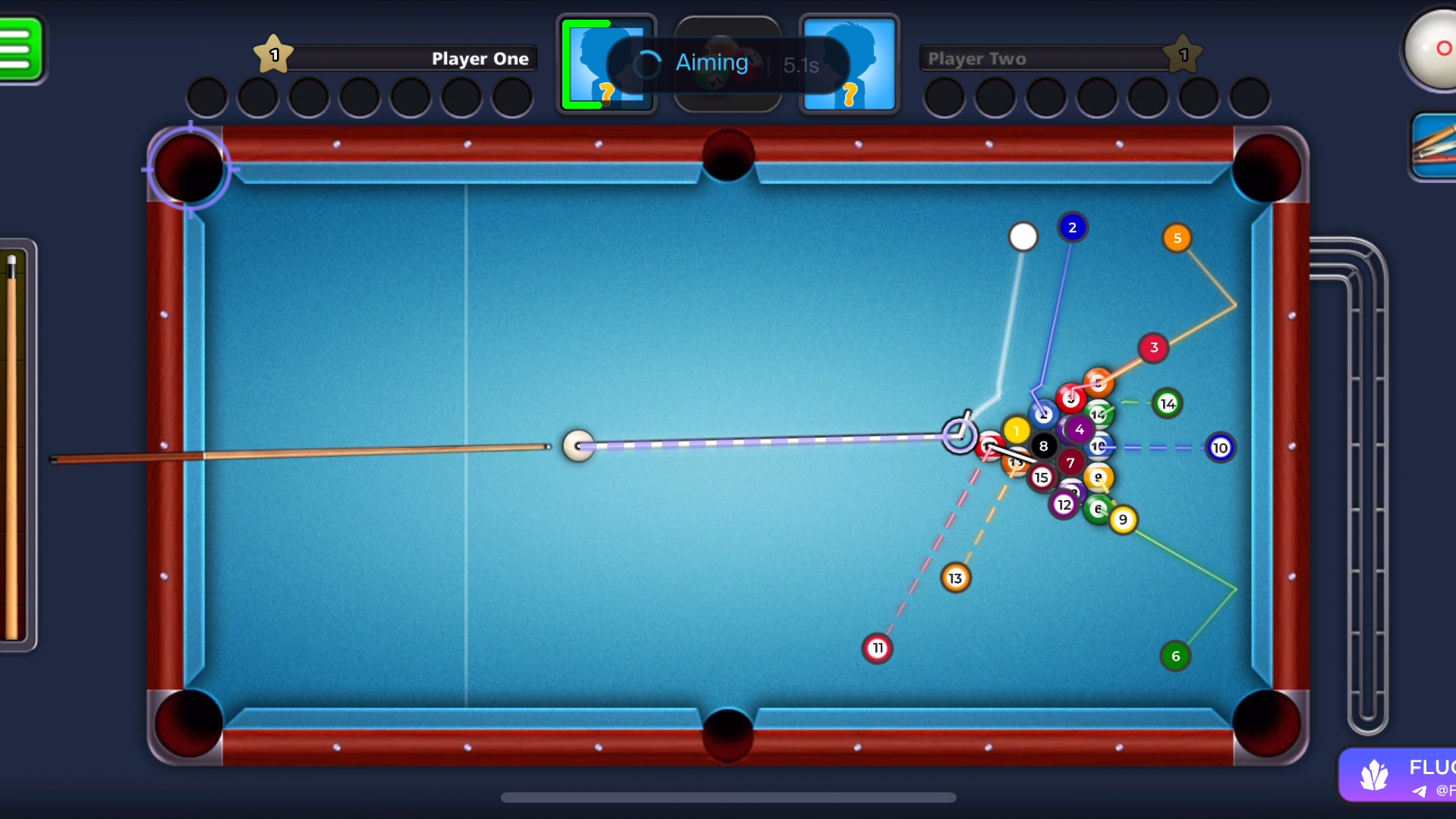
The prediction system includes projected ball paths, pocket indicators, opponent previews, adjustable power settings, and multiple visual styling options. Players can customize overlays, line styles, pocket markers, animations, and interface effects to match their preferred playstyle.
Fluorite also includes optional aim assistance, smart targeting tools, queue functions, session tracking, performance monitoring, streamproof mode, and configuration management. It combines advanced functionality with a lightweight interface for a smooth iOS experience.
For the best setup experience, we recommend having access to a PC. Some installation or configuration steps may require a computer.
Already purchased?
Read the setup guide below (visible to customers only)
Official iOS: 8 Ball Pool Installation & Support Guide
Fluorite 8 Ball Pool iOS Showcase
-
-
Visualization Features
Shot prediction, aiming overlays, and visual customization tools.
- Prediction Toggle
- Adjustable Power Slider
- Projected Balls
- Projection Lines
- Pocket Markers
- Keep Preview
- Opponent Preview
- Pot Alert Notifications
- Scratch Alert Notifications
- Classic Ball Styling
- Neon Line Styling
- Arrow Pocket Style
- Burst Pocket Animation
-
Aim Assistance
Optional aim tools, smart targeting, and shot support features.
- Auto Aim Support
- Aim Guide Assistance
- Aggressive Play Style
- Touch-Based Aiming Method
- Smart Targeting Tools
- Lucky Shot Automation
- Gold Target Selection
- Play / Stop Controls
-
Tracking & Performance
Session monitoring, performance data, and gameplay statistics.
- Solver Status Indicator
- ITER/SEC Performance Meter
- Session Tracking Statistics
- Balance & Coin Tracking
- Win Percentage Monitoring
- Auto Queue System
- Tier Selection Options
-
Settings & Configs
Appearance options, privacy tools, and configuration management.
- Adblock Support
- Unlock Achievements
- Reset Guest Feature
- Streamproof Mode
- Liquid Glass UI Effect
- Custom Watermark Styles
- Adjustable Watermark Position
- Save Configurations
- Load Saved Configs
- One-Click Reset Config
- Version Information Panel
-
-
Frequently Asked Questions
Quick answers to common questions.
-
Does Fluorite work on iOS?
Yes, Fluorite is designed for supported iOS devices.
-
Can settings be customized?
Yes, visual styles, overlays, and interface options can be customized.
-
Can configurations be saved?
Yes, save, load, and reset configuration options are included.
-
Does it include tracking tools?
Yes, session statistics, performance information, and balance tracking are supported.
-
Do I need a PC to use Fluorite?
A PC is recommended for the best setup experience, as some installation or configuration steps may require a computer.
-
Need help before purchasing? 8 Ball Pool cheats, including setup guidance, compatibility information, and feature details · How access works · FAQ · Customer Support