
Arcane: Squad Cheat
Select Price Per Key
Trixxware's Arcane: Squad Cheat – Undetected Aimbot, ESP, Radar & Loot ESP
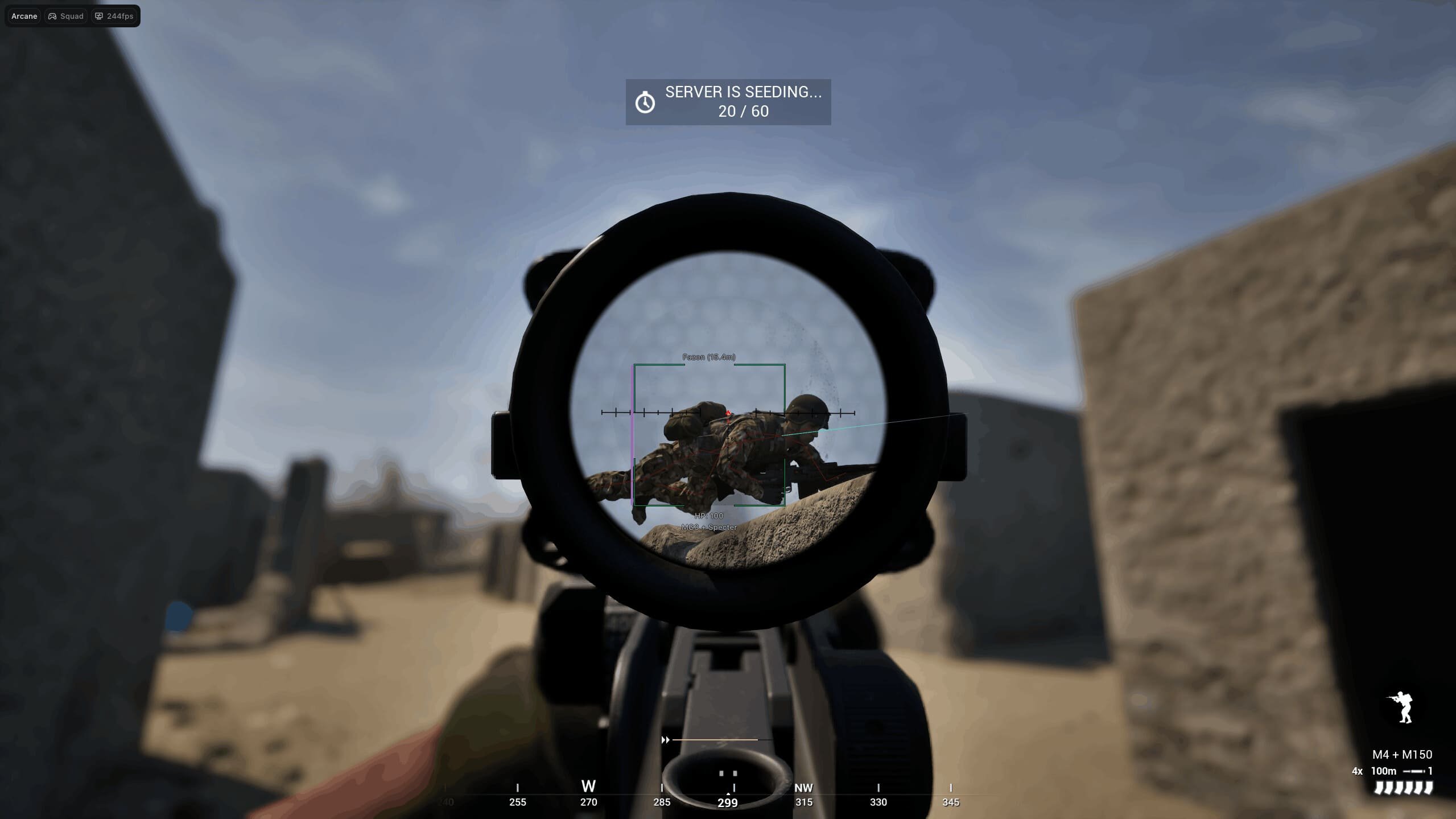
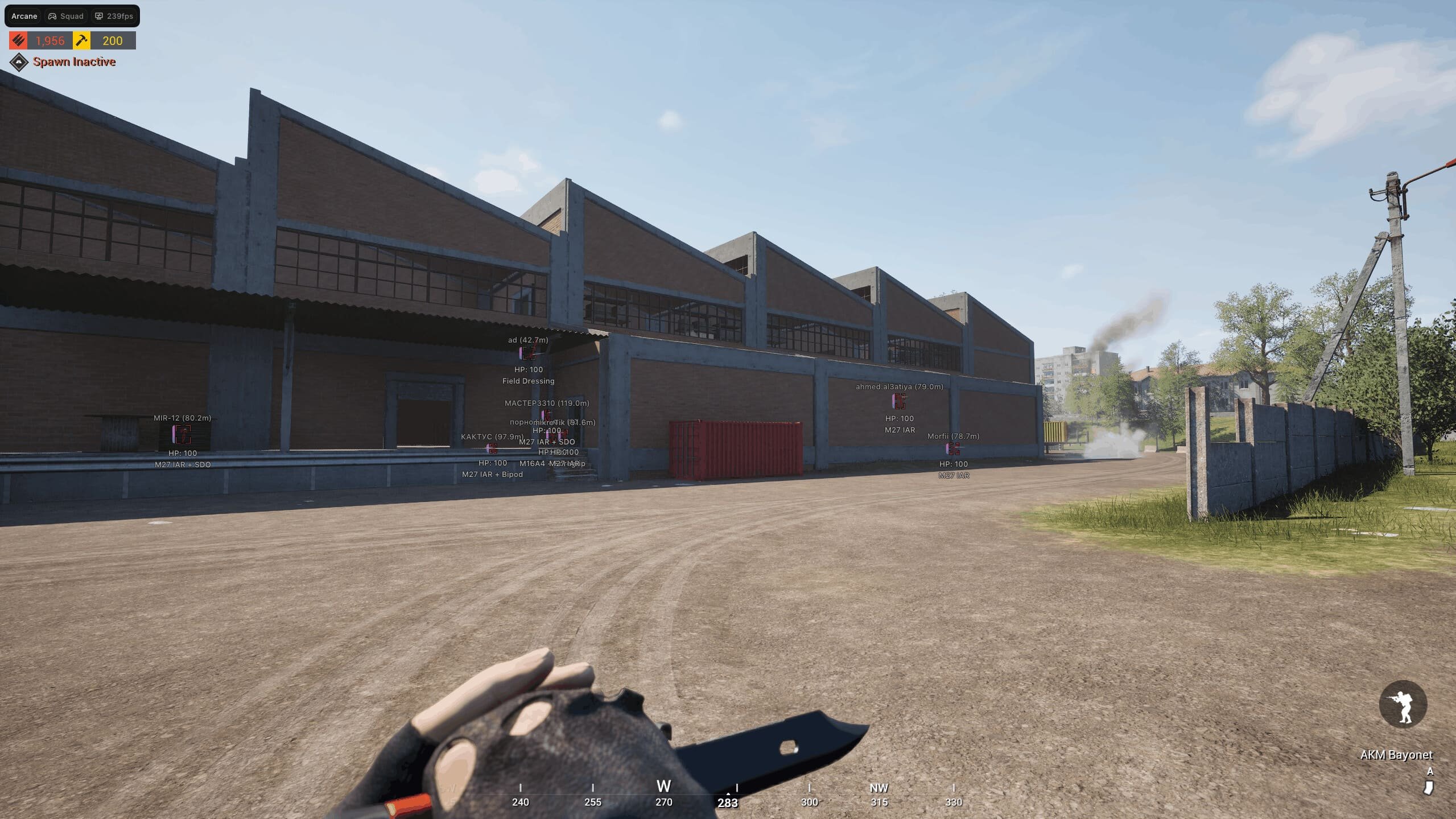
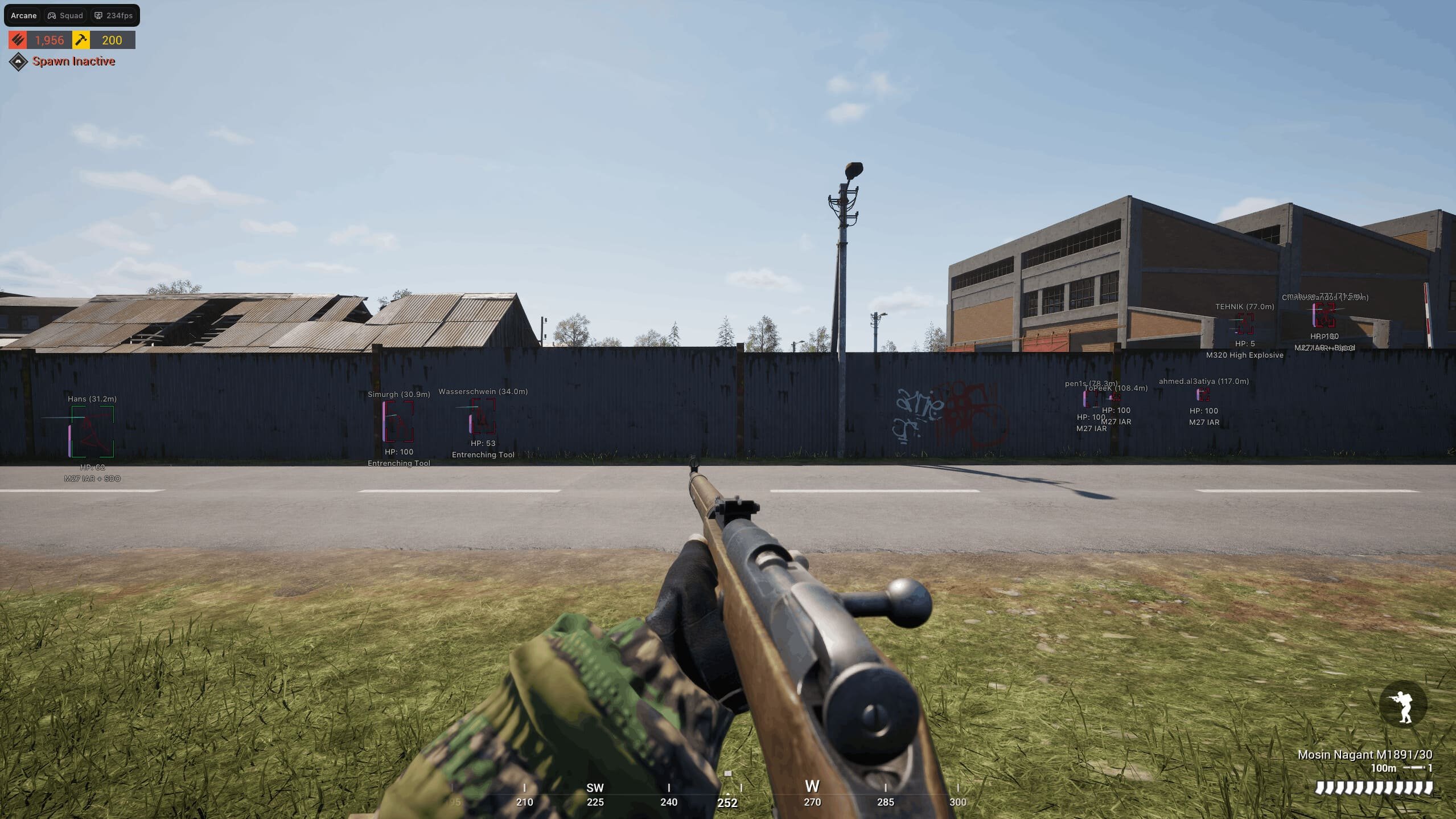
The Arcane: Squad Cheat by Trixxware is a powerful external undetected cheat designed for gamers who demand precision, situational awareness, and control. Featuring an all-in-one ESP hack, it enables you to see enemies, teammates, NPCs, and loot through walls, with customizable colors, distance filters, and visibility options.
Our Squad aimbot offers predictive targeting, smooth aim adjustments, and character-specific profiles. Fine-tune FOV, target bones, distance caps, and dual keybinds to stay accurate and adaptable in every engagement—ideal for casual players and competitive strategists.
The built-in radar hack enhances your 360° awareness by displaying enemy positions, allies, and movements with customizable scaling and opacity. The integrated loot ESP highlights weapons, gear, and items by rarity, distance, and type, giving you the edge to gather the best resources.
Fully optimized for the latest Squad versions on Windows 10 & 11, Trixxware’s cheat operates externally and remains undetected. Gain the tactical advantage needed to dominate every match with confidence.
Already purchased?
Read our setup guide here (visible to customers only):
Official Arcane Installation and Support Guide
-
NOTICE
This product does NOT support controllers natively. To use it with a controller, you will need third-party software such as reWASD.
-
Requirements
- Supported game version: Steam
- Supported game mode: Windowed / Fullscreen in window
- Supported processors: Intel and AMD
- Supported OS: Windows 10-11 x64 (build 2004 and above)
- Supported builds: all from 1903 to the latest
- Support for invisibility in videos or screenshots: No
-
-
Aimbot
Advanced targeting and precision configuration options.
- Enable – (Vector / Silent / Magnit)
- Bone – (Head, Neck, Chest, Pelvis)
- Keybind – Activation key
- Aim at bots – Target AI units
- Visibility check – Validate line of sight
- Adaptive FOV – Dynamic field-of-view adjustment
- Draw FOV Border – Display FOV circle
- Draw FOV Background – Display FOV background
- FOV Size – Adjust FOV radius
- Smooth – Adjust aiming smoothness
- Silent chance – Chance for silent aim
- Max distance – Maximum targeting range
-
ESP Players
Player visualization and overlay customization settings.
- Bounding box – (Box, Corner)
- Fill box – (Static, Gradient)
- Skeleton – (Thickness)
- Health Bar – (Static, Health-based, Gradient)
- Health text – Display numeric health
- View line – Directional line from player
- Line to enemy – Indicator line to targets
- Name – Display nickname
- Held item – Show equipped item
- Distance – Show distance to player
- Show bots – Display AI units
- Show bleeding – Indicate bleeding status
- Visibility check – Visibility validation
- Max distance – Maximum render distance
-
Vehicles ESP
Vehicle tracking and display configuration.
- Enable – Toggle vehicle ESP
- Health – Display vehicle health
- Distance – Show distance to vehicle
- Max distance – Maximum render distance
-
Objects ESP
Rendering settings for world objects and structures.
- Distance – Display object distance
- HAB Base – Highlight HAB bases
- FOB Radio – Highlight FOB radios
- Max distance – Maximum render distance
-
Misc
Additional gameplay enhancements and exploit features.
- Crosshair – Static crosshair overlay
- Off-screen arrows – Indicators for off-screen entities
- Ammo count – (Text, Bar, Text + Bar)
- Big player – Increase player model size
- Speedhack – Increase movement speed
- FOV Changer – Modify field of view
- Weapon
- Unlimited ammo – Infinite ammunition
- Unlimited RPG – Infinite RPG ammo
- No recoil – Remove weapon recoil
- No sway – Remove weapon sway
- Rapid fire – Increase firing rate
- Battle mode
- Keybind – Toggle key
- Hide players – Hide player ESP
- Hide vehicles – Hide vehicle ESP
- Hide FOBs – Hide FOB indicators
- Hide HABs – Hide HAB indicators
-
Settings
Interface and system customization options.
- Menu key – Open menu keybind
- Unload key – Unload cheat keybind
- DPI Scale – Interface scaling
- VSync – Vertical sync toggle
- Theme – (Murky, Sunny)
- Watermark – Show watermark
- Language – (EN, RU, CH)
-
Configuration
Manage and share your custom configurations.
- Create – Create new config
- Get shared – Load config via unique key
- Launch – Apply configuration
- Save – Save current config
- Edit name – Rename config
- Share – Share config with others
- Remove – Delete config
-
Need help before purchasing? Learn more about Squad cheats, including features, setup guidance, and compatibility information. · How access works · FAQ · Customer Support