
Arcane: Farlight 84 Cheat
Select Price Per Key
Arcane: Farlight 84 Cheat by Trixxware – Undetected Aimbot, ESP, Radar & Visual Enhancements
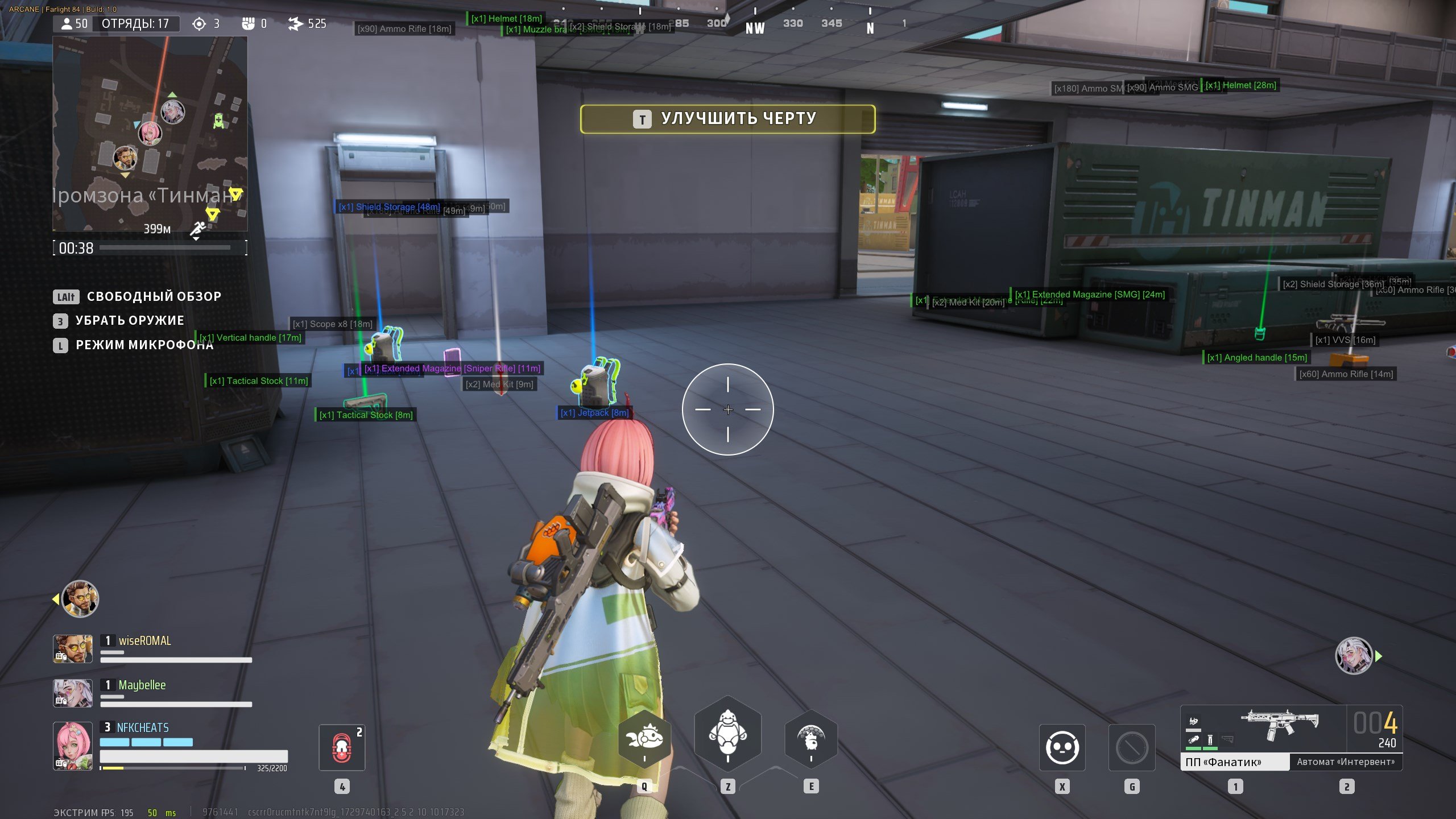
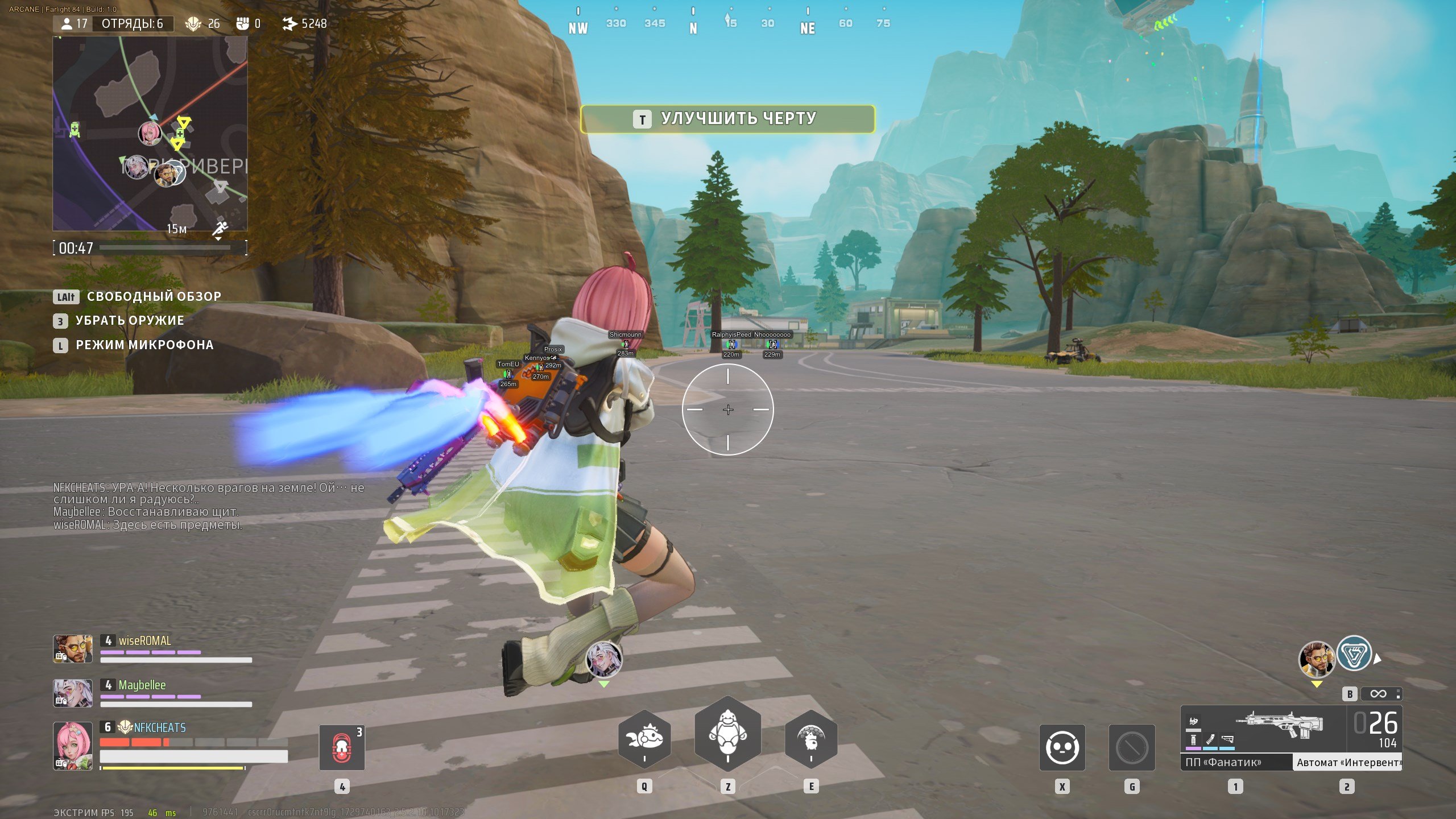
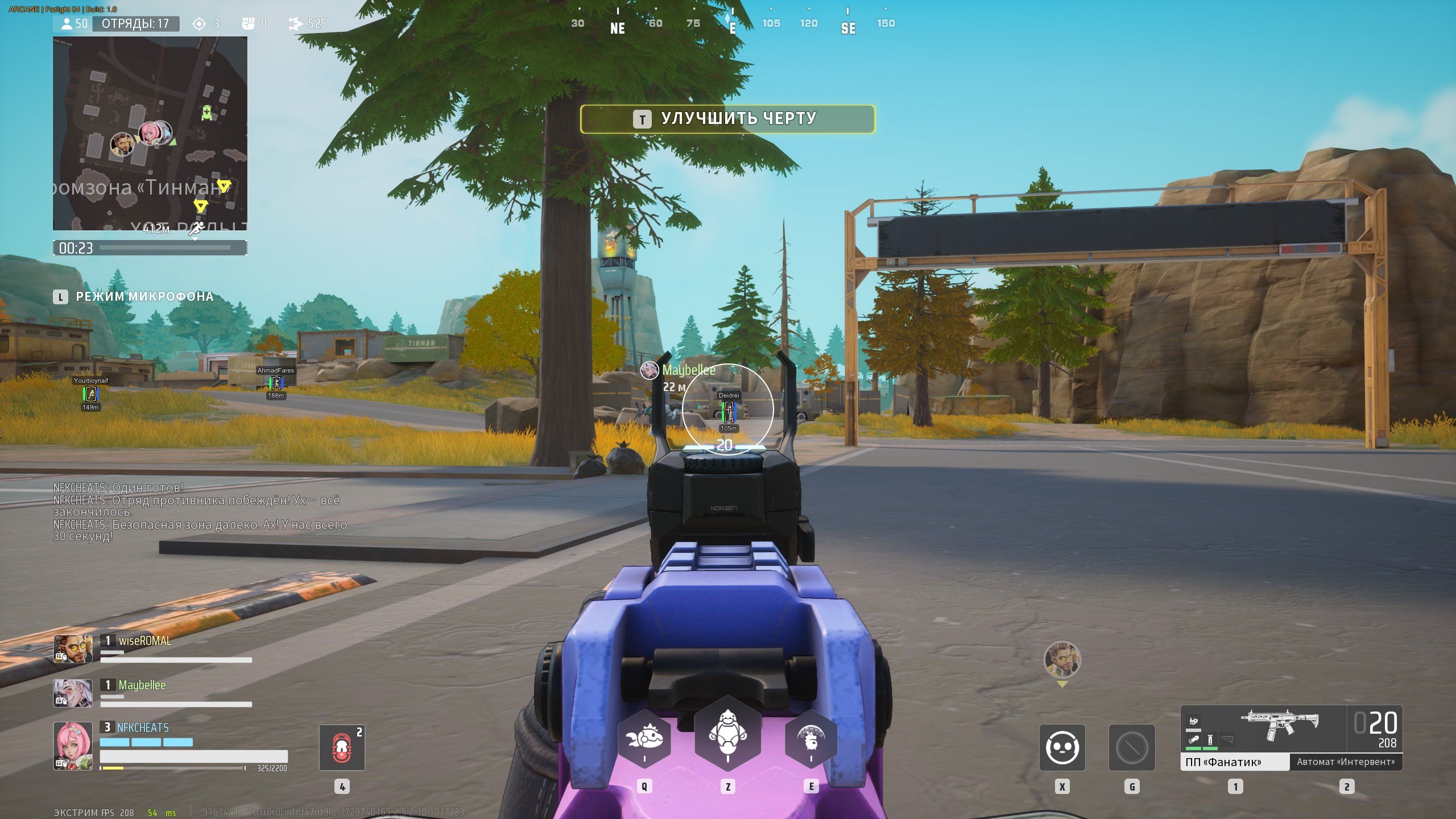
The Arcane: Farlight 84 Cheat by Trixxware is a cutting-edge external cheat designed for gamers seeking precision, control, and a tactical advantage. Featuring an advanced ESP system, it allows you to see enemies, allies, and key objectives through walls, with customizable colors, visibility filters, and distance indicators.
Our Arcane: Farlight 84 aimbot provides highly accurate targeting with smooth tracking, recoil mitigation, and adjustable aim speed. Fine-tune FOV, bone targeting, and visibility settings to match your playstyle—perfect for both casual players and competitive strategists.
The built-in radar system offers full 360° situational awareness, displaying enemy and ally positions in real-time. With adjustable size, scale, and opacity, you'll always maintain a clear overview of the battlefield.
Enhanced visual options enable you to display player outlines, health bars, skeletons, and additional info with maximum customization. Set your distance limits and filters to keep visuals clear and system performance optimal.
Fully optimized for the latest Arcane: Farlight 84 updates on Windows 10 & 11, this cheat operates externally and remains undetected. Gain the tactical advantage to dominate every match.
Already purchased?
Read our setup guide here (visible to customers only):
Official Arcane Installation and Support Guide
-
-
NOTICE
This product does NOT support controllers natively. To use it with a controller, you will need third-party software such as reWASD.
-
Requirements
- Supported game version: Steam
- Supported game mode: Windowed / Fullscreen in window
- Supported processors: Intel and AMD
- Supported OS: Windows 10-11 x64 (build 2004 and above)
- Supported builds: all from 1903 to the latest
- Support for invisibility in videos or screenshots: No
-
-
Aimbot
Detailed breakdown of targeting and precision control parameters.
- Enable – Activate
- Always – Always active
- Target Bots – Target AI units
- Target Teams – Target teammates
- Draw FOV Border – Draw FOV circle
- Draw FOV Background – Background of FOV circle
- Bone – (Head, Neck, Body, Pelvis)
- Keybind – Key assignment
- Smooth – Smoothness adjustment
- FOV – Field of view circle size
- Distance – Operational distance
-
ESP Players
Display and rendering options for players, teams, and AI entities.
- Box 2D – Box, Corner style
- Box Filled – Filled box (Static, Gradient)
- Health Bar – (Static, Health-based, Gradient)
- Shield Bar – (Static, Health-based)
- Line – (Top center, Bottom center, Center)
- Skeleton – Outline of player model
- Distance – Display distance
- Nickname – Display nickname
- Show Bot – Display AI units
- Show Team – Display teammates
- Rendering Distance – Maximum rendering distance
-
Items ESP
Object and equipment visibility configuration parameters.
- Enable – Enable visualization
- Show Count – Show quantity
- Show Distance – Display distance
- Battle Mode – Contextual display toggle
- Rendering Distance – Range for object rendering
- General – General item category
- Trait Cart
- OPT Shield
- Jetpack Helmet
- Magazine
- Bag
- Medkit
- Shield Storage
- OPT Growth
- Attachments
- Vertical Handle
- Angled Handle
- Muzzle Brake
- Extended Magazine
- Tactical Stock
- Scopes
- Ammo
- Ammo SMG
- Ammo Rifle
- Shotgun Ammo
- Sniper Ammo
- Weapons
- Machine Gun
- Sniper Rifle
- SMG – Submachine Gun
- Shotgun
- Assault Rifle
-
-
Need help before purchasing? Learn more about Farlight 84 cheats, including features, setup guidance, and compatibility information. · How access works · FAQ · Customer Support